
Brands running operations with Polypus
All references











As the warehouse grows, control fades
As order volume grows, manual processes, fragmented systems and invisible stock gaps slow operations down.
Gap between system and physical stock
When system stock and physical quantity diverge, order preparation slows and cancellations or returns increase.
Fragmented order flow
If picking, packing and shipping steps are not standardized, team performance stays unmeasured and bottlenecks appear late.
Broken integration handoffs
When ERP, sales channel and warehouse data live in separate systems, manual transfer creates errors and delays.
Field operations stay invisible
When mobile picking and counting are not tracked, in-warehouse movement becomes hard to manage.
Manage warehouse processes in one flow with Polypus WMS
Each module delivers direct warehouse value; see the full list on the features page.
Inbound
Separate quality at receiving; keep items in awaiting stock until putaway moves them into on-hand stock.
In-warehouse operations
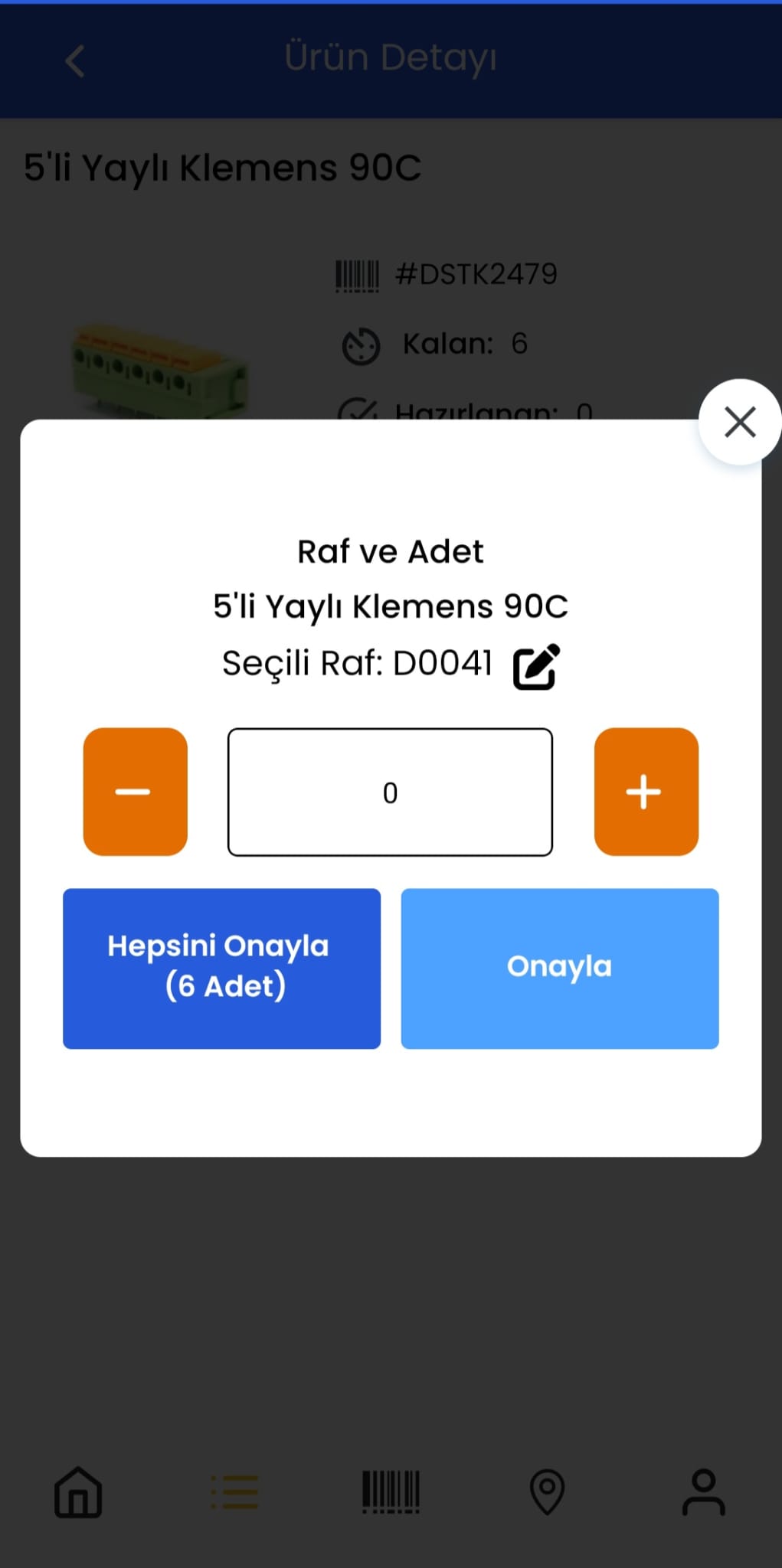
Manage product, faulty and reserve warehouses; record barcode counting and inter-warehouse transfers in real time.
Order preparation
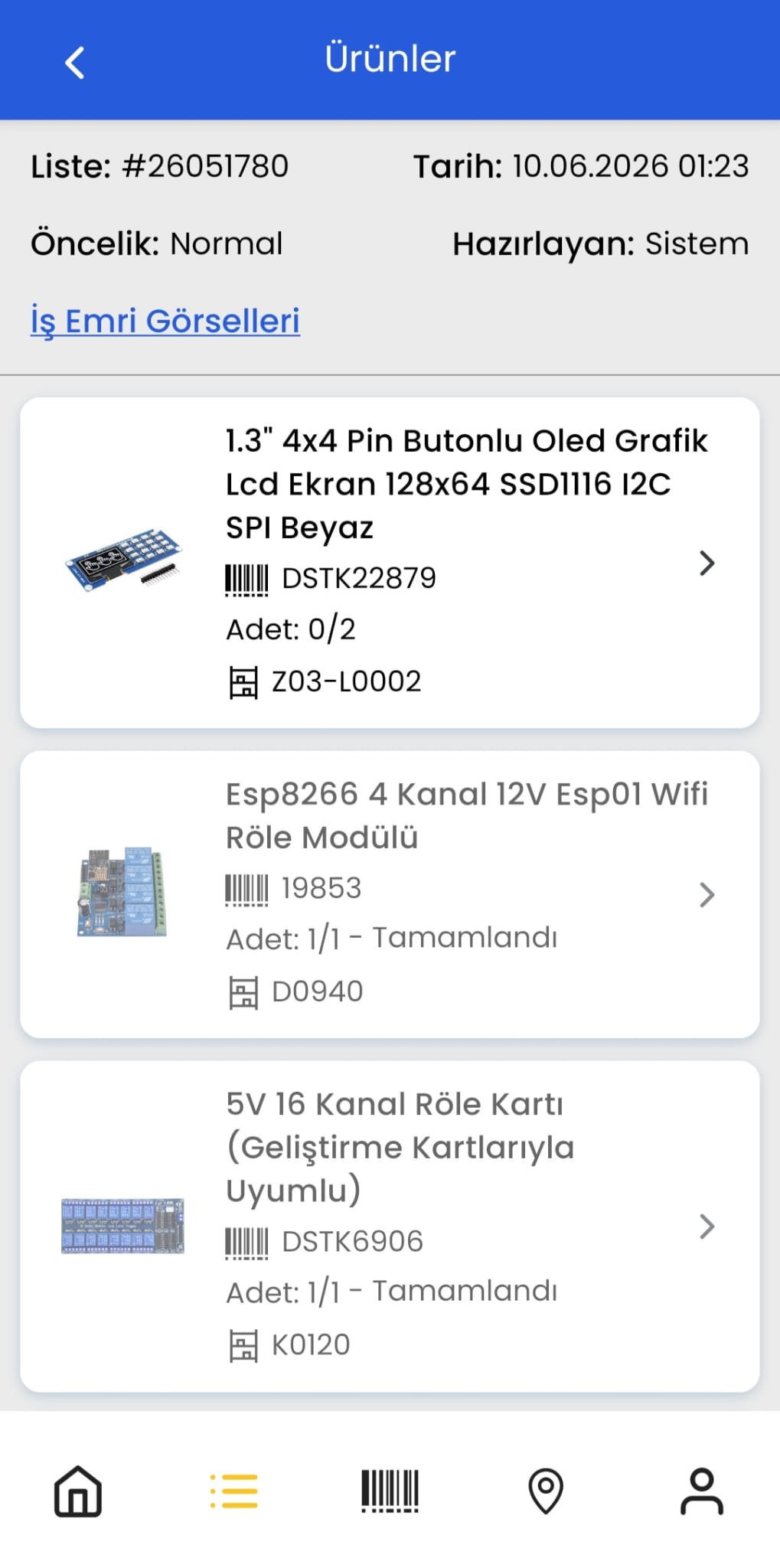
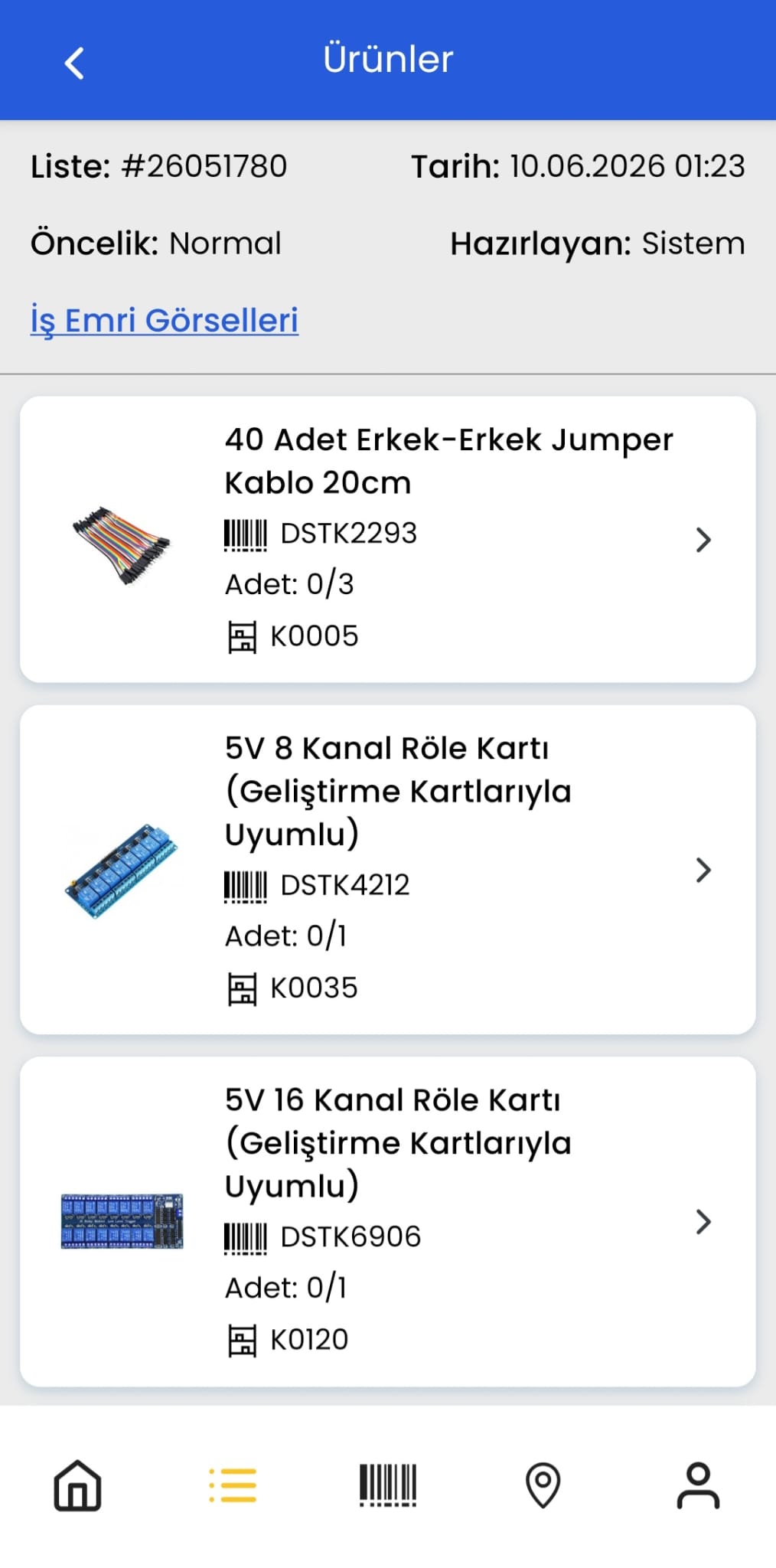
Define preparation stages by movement type. For wholesale, pick then pack; for retail, require picking, control and packing—configured for your operation.
Cancellation and returns
Open a return from the original sale; approve or reject lines in the return receiving queue. Put approved items back into stock with putaway.
Recipe products and conversion
On finished-good or component sales, multi-level BOMs deduct stock automatically through the hierarchy.
Control every step of warehouse operations.
Run the whole warehouse flow in one sequence, from goods receiving to shipping.
Putaway task created
Stock reserved
#10482 · 2×
Put away
Parcel ready
Order shipped
-
01 Receiving
Goods are in the warehouse.
- On hand
- 0
- Expected
- +2
-
02 Put away
Placed in location A-01.
- Expected
- —
- A-01 stock
- —
-
03 Order
Order received and reserved.
- A-01 stock
- —
- Reserved
- —
-
04 Pick
Items were taken from the shelf.
- A-01 stock
- —
- Reserved
- —
-
05 Pack
2 items in one parcel.
- Parcel
- —
- Status
- —
-
06 Ship
Order shipped.
- Parcel
- —
- Status
- —
A customizable flow from order to shipping
When a channel order enters Polypus, a reservation is created. As the order is prepared, the reservation moves toward zero and shelf stock is reduced. The order is posted to ERP at the step you specify, and the cargo shipment and label are created in Polypus.
Channel order enters Polypus
When the order lands, a reservation is created.
Order is prepared
As preparation advances, the reservation moves toward zero and shelf stock is reduced.
Packing and control
Items are packed and move into the control stage.
Cargo integration and labeling
Create the shipment with your cargo integration and get the shipping label directly in Polypus.
This is a sample flow. The order is posted to ERP at the step you specify: preparation, packing, or shipping.
MCP connection: turn warehouse data into knowledge
Connect Polypus to OpenAI and Claude through MCP. Operational data—stock, orders and performance—becomes actionable insight with AI assistance.
MCP links Polypus to the model you choose; AI turns raw records into decisions.
You keep control of which model is connected. Insights stay grounded in your live WMS data—stock movements, orders and operator performance.
Run floor operations with the mobile app
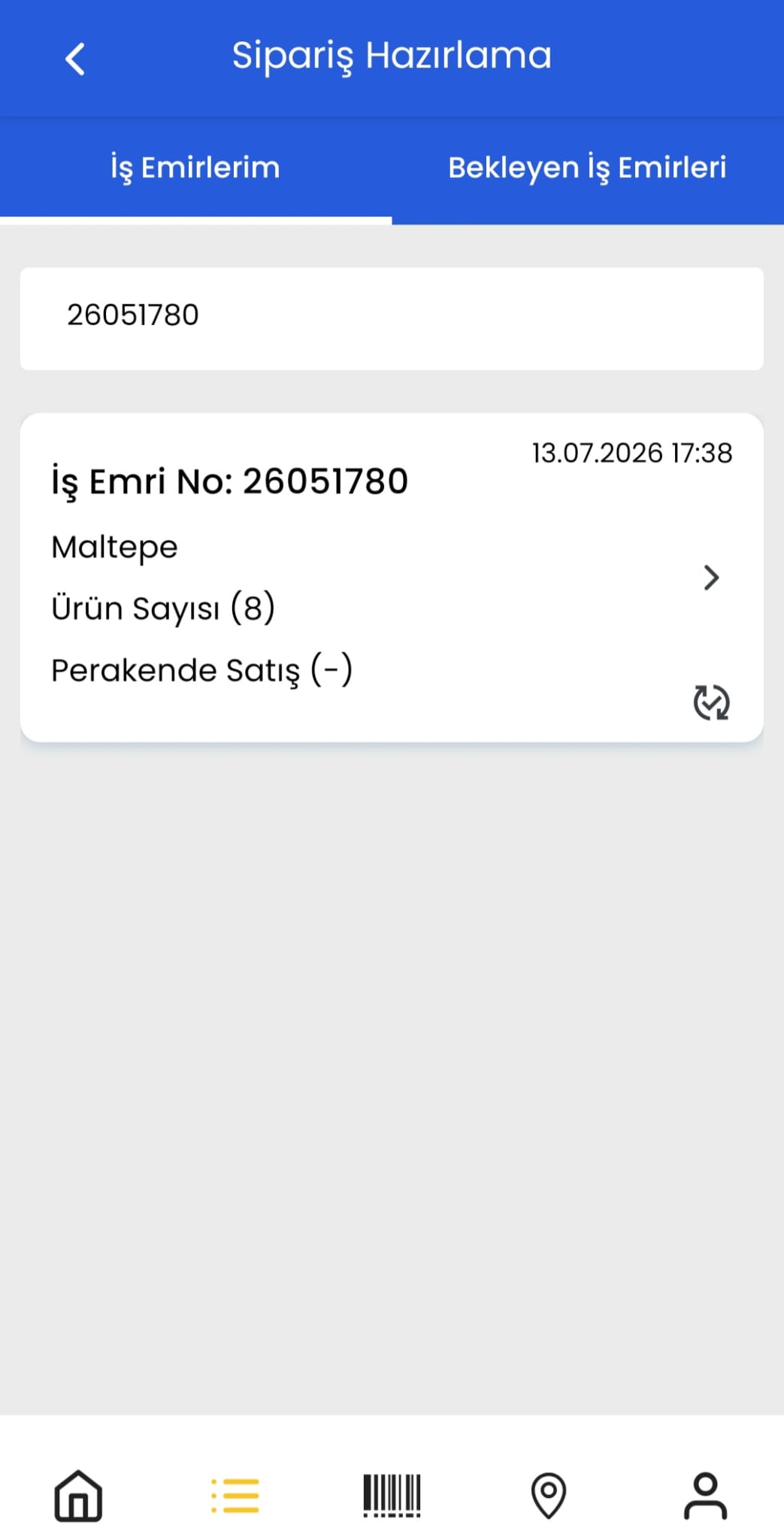
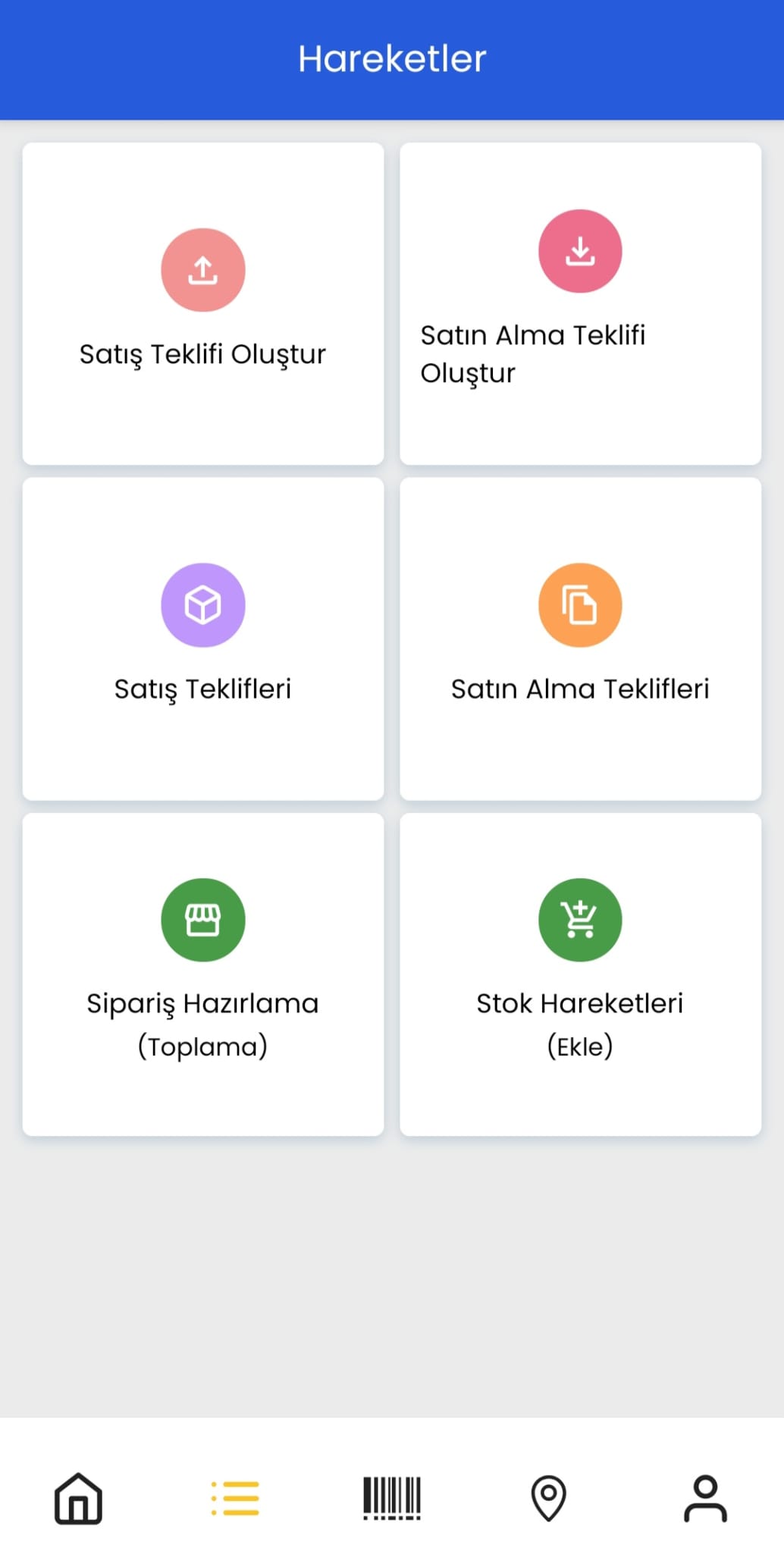
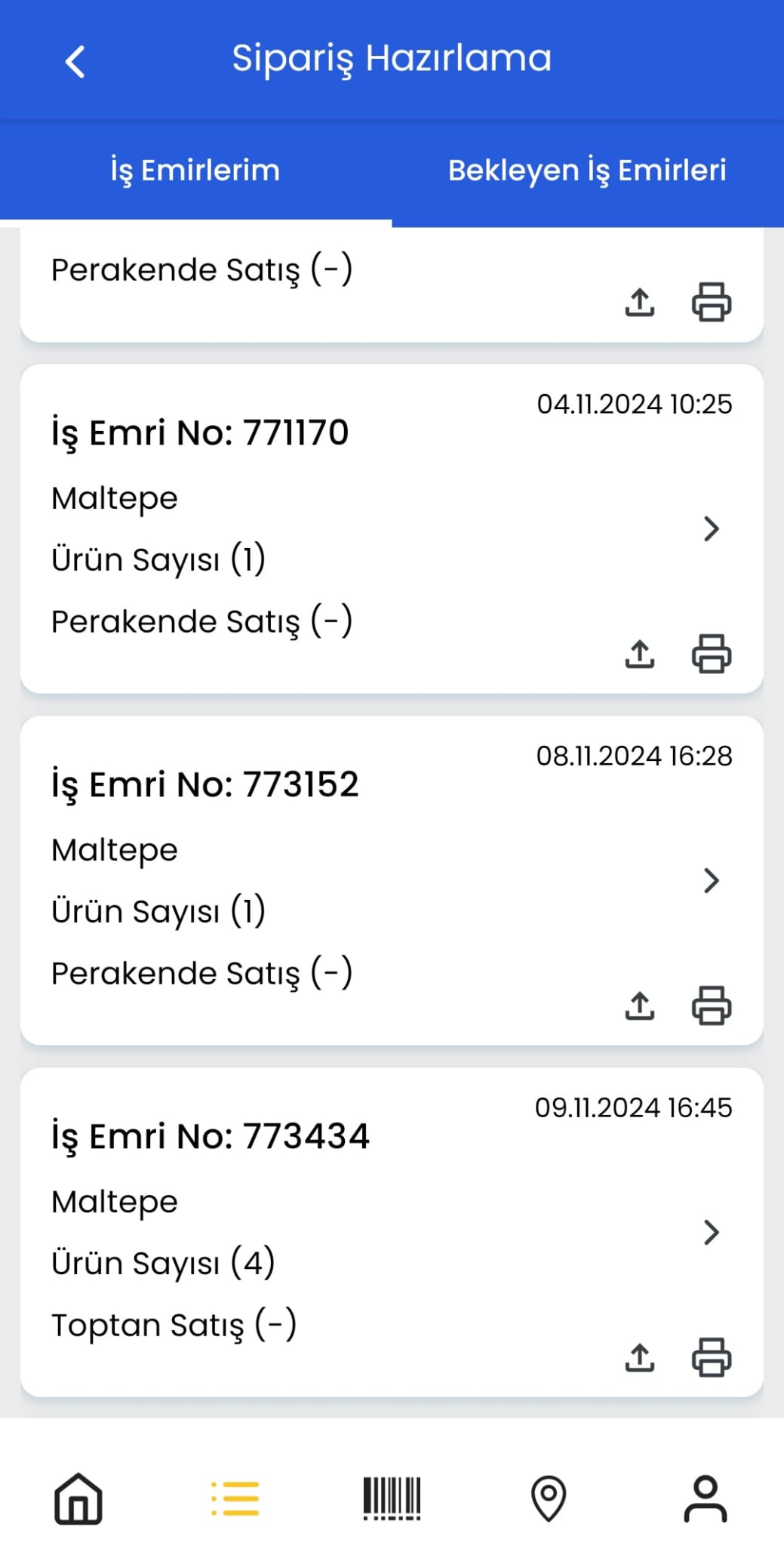
Polypus WMS Mobile App speeds barcode scanning, picking, packing and counting on the warehouse floor as a native app.
Connect sales channel, ERP and cargo flows to WMS
Connect ERP, marketplace and sales channel data to a bi-directional WMS flow.
ERP integrations
Import stock cards from ERP, enrich them in Polypus and send them back. Transfer B2C and B2B orders to ERP. Data flow is scoped after a needs analysis.

Sales channel integrations
Move ecommerce and marketplace orders into warehouse preparation flow.



Marketplace integrations
Connect orders from channels such as Trendyol, Hepsiburada, n11, Modanisa, Amazon, Walmart and Etsy into the WMS preparation flow. Scope is defined after a needs analysis.






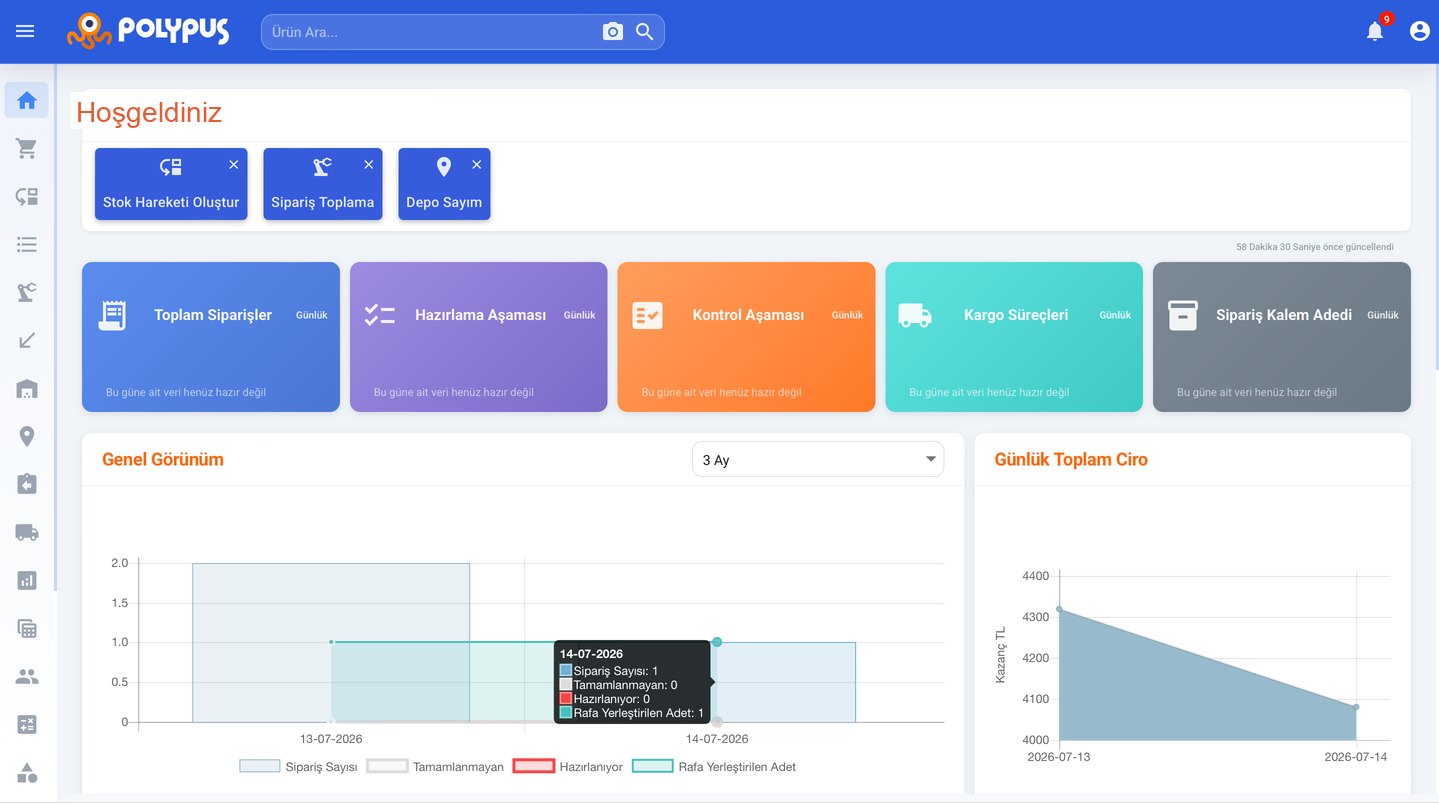
Manage operations with reports
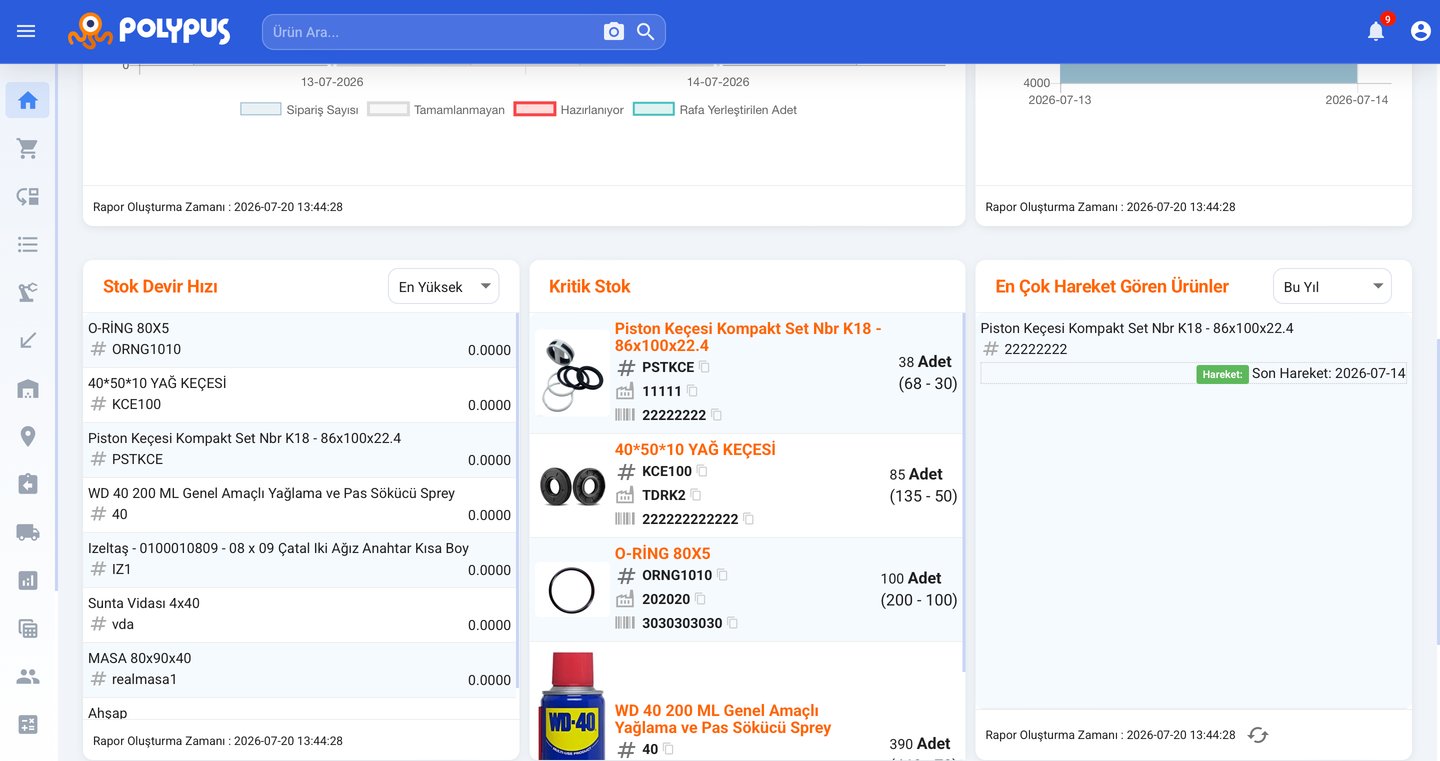
Watch preparation–control–shipping stages, stock turnover, critical inventory and staff performance on one screen to spot bottlenecks earlier.
- Preparation, control and shipping mix with weekly order trends
- Stock turnover, critical stock levels and top-moving products
- Location stock distribution, awaiting and on-hand stock views
- Shareable operation data via Excel exports
Frequently asked questions
Common questions about Polypus WMS scope, operation flow and onboarding.
What is Polypus WMS?
Polypus WMS is a cloud warehouse management system that runs warehouse and order operations on one platform. It covers stock, receiving, locations, order picking, packing, counting, returns and reporting.
Which warehouse processes does it cover?
It supports goods receiving and quality control, directed putaway, location management, stock movements, order picking and packing, location-based stocktaking, return receiving and recipe-based (BOM) product management end to end.
How does goods receiving work?
Inbound goods are counted and separated as approved, faulty or rejected. After acceptance they stay in awaiting stock until mobile-directed putaway places them on the target shelf and moves them into on-hand stock. Lot and serial tracking are supported.
How does stocktaking work?
During stocktaking, scan the shelf barcode first, then the product barcode. Once quantities are approved, shelf balance and warehouse distribution are updated. Counting orders are opened from the desktop panel; the floor team completes them in the mobile app.
How does order preparation work?
Orders from sales channels or ERP become WMS work orders and products are reserved on shelves automatically. Pickers are directed to the target shelf; barcode and quantity are verified. Preparation stages are defined by stock movement type: for example wholesale can go from picking to packing, while retail can require picking, control and packing. Urgent work orders can be moved to the top of the queue. After packing, reservation is cleared and shelf stock is reduced.
How does the returns process work?
A return is opened from the original sales document and enters the return receiving queue. Operators approve or reject each line; approved items stay in awaiting stock until putaway. When putaway is complete, on-hand stock is updated.
Can I work on the warehouse floor with the mobile app?
Yes. The Polypus native mobile app supports barcode scanning, picking, packing, counting and putaway on handheld devices or phones. The desktop WMS panel runs as a PWA.
Are ERP, marketplace and cargo integrations available?
Yes. Bi-directional stock card and order exchange with ERP, moving ecommerce and marketplace orders into WMS, and connecting cargo steps to shipping are scoped after a needs analysis. Channel orders can be collected on one screen and posted to ERP.
Are recipe-based products supported?
Yes. With multi-level recipes (BOM), stock is deducted automatically through the hierarchy when a finished good or component is sold. Nested BOMs are supported.
How does onboarding to Polypus work?
A needs analysis clarifies your warehouse processes and integration scope. Setup, data migration and training are then planned. Go-live scope follows your operations; we define the roadmap together instead of promising fixed timelines.
Can I start for free?
Yes. You can try Polypus WMS on the Free plan and move to Starter, Premium or Enterprise as your volume grows. See the Pricing page for plan details.
How do I request a demo or support?
Contact us through the Contact page for a demo, needs analysis or product information, or call (0216) 599 04 38. For a free trial, complete the form at install.polypus.app.
Let us plan your warehouse operation
Request a demo to see how Polypus fits your business. Our team reviews your processes and suggests the right starting step.